How to Delete Your Account
Follow these steps to permanently delete your Yumio account and all associated data.
Important Notice
Account deletion is permanent and cannot be undone. All your recipes, bookmarks, and data will be permanently deleted.
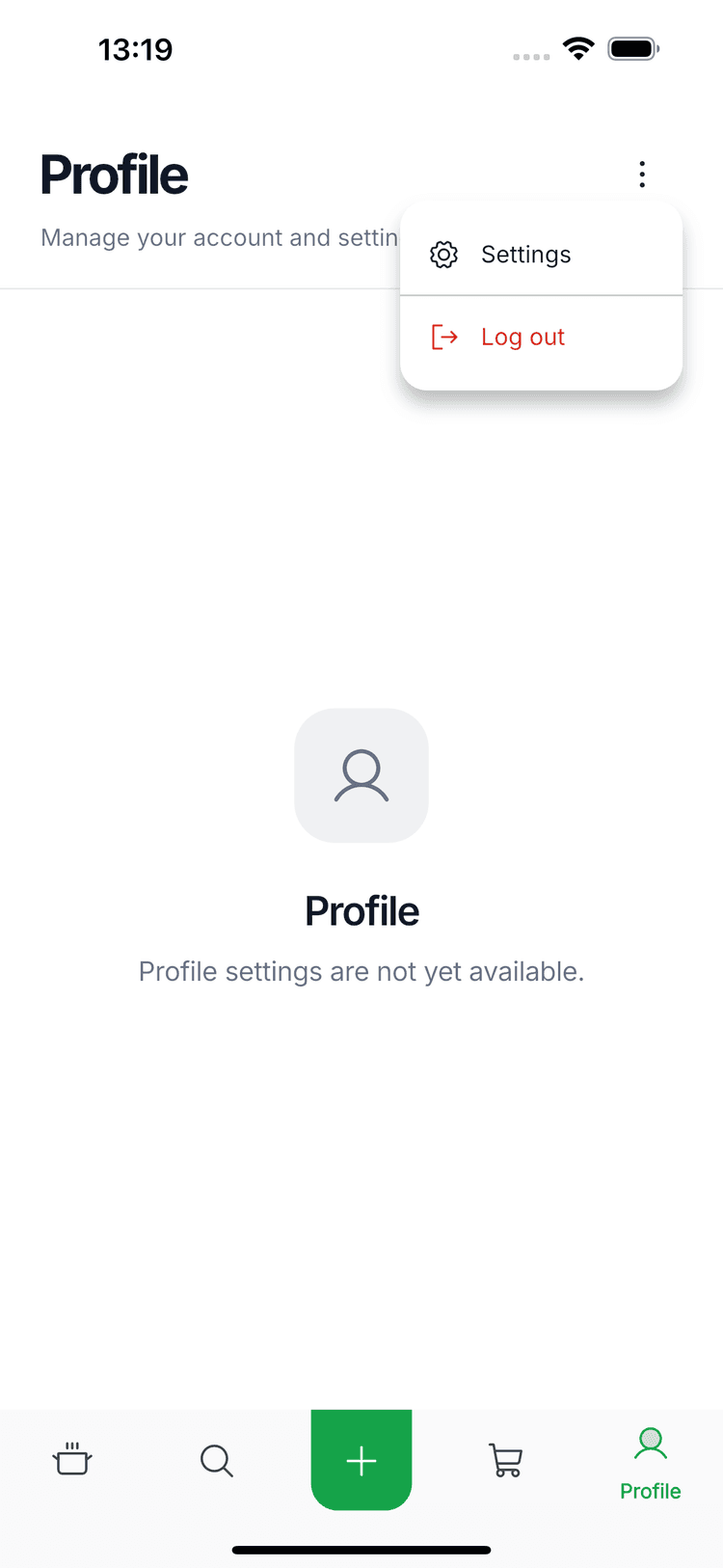
Open Profile Menu
Navigate to the Profile tab in the bottom navigation bar, then tap the menu icon (three dots) in the top right corner and select Settings.
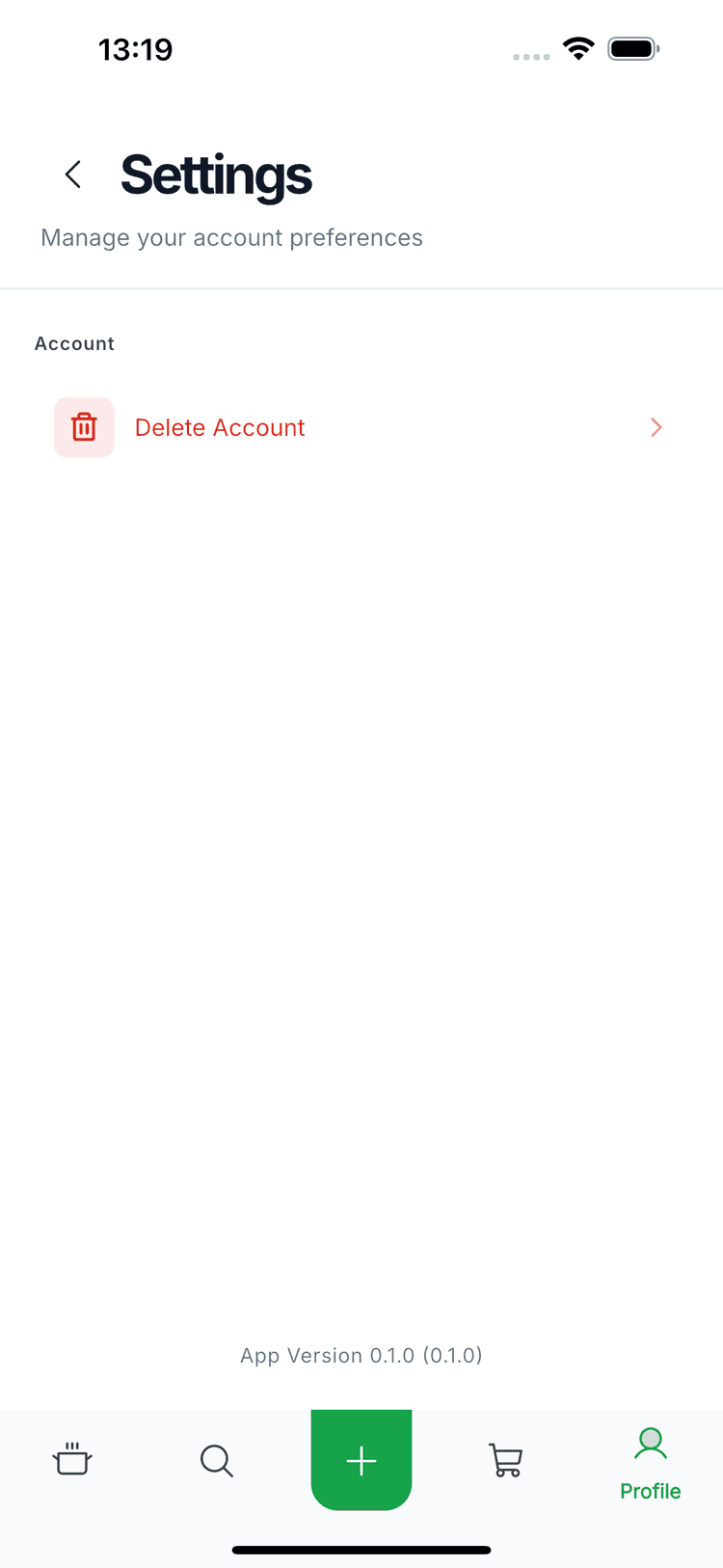
Go to Settings
In the Settings screen, under the Account section, tap on Delete Account.
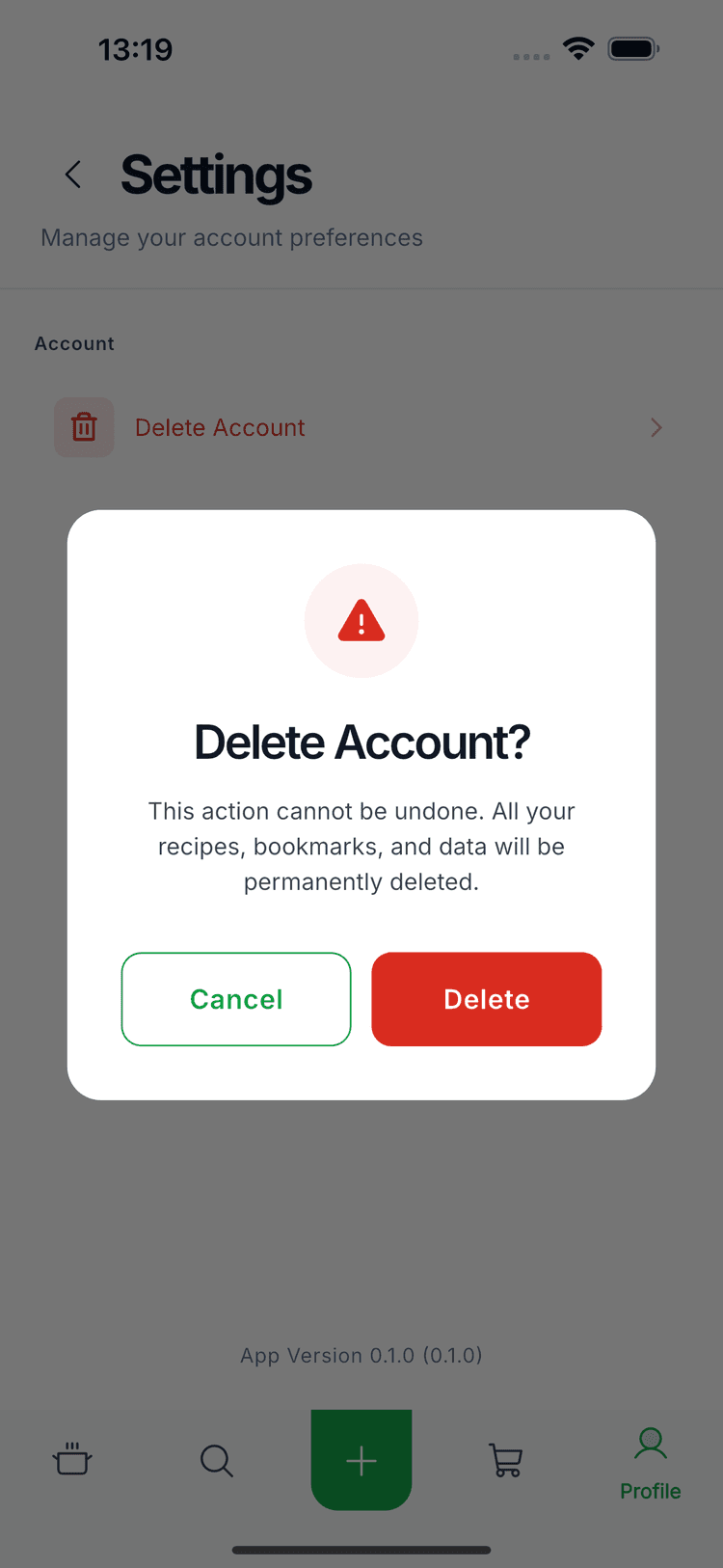
Confirm Deletion
A confirmation dialog will appear warning you that this action cannot be undone. Review the message carefully, then tap the Delete button to proceed.
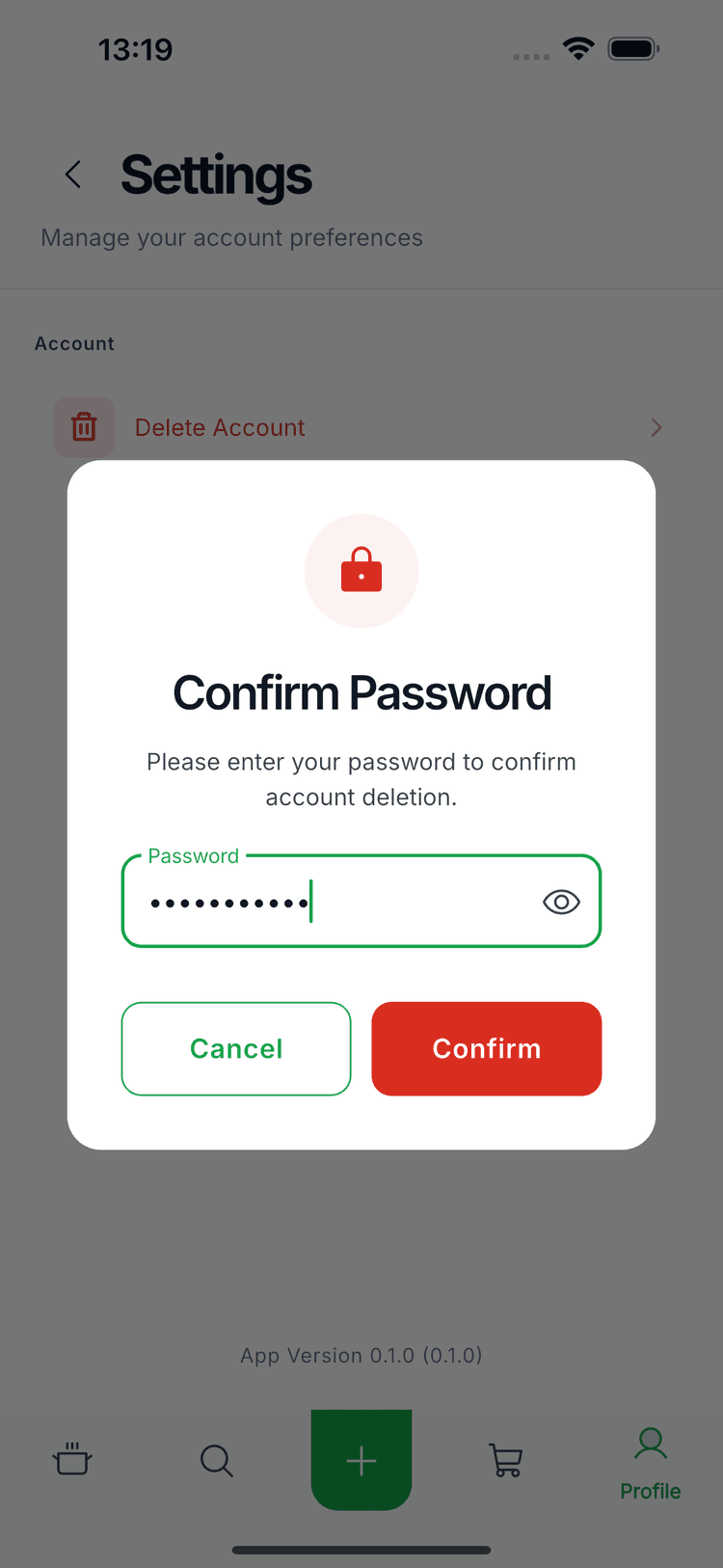
Enter Your Password
For security purposes, you will be asked to enter your password to confirm the deletion. Enter your password and tap Confirm to complete the account deletion process.
What Happens Next?
- ✓Your account will be permanently deleted
- ✓All your saved recipes will be removed
- ✓Your bookmarks and collections will be deleted
- ✓All personal data will be permanently erased
Need help or have questions? View our Privacy Policy